
How to Make AI Cite Your Website

Most sites that AI tools skip over aren't failing at advanced optimization. They're failing at the fundamentals. If bots can't reach a page, don't want to open it, or can't parse it quickly once they do, nothing else about a site's GEO strategy matters. This guide breaks the fix into three checkable steps: confirming AI crawlers can actually access the site, optimizing the title tags and meta descriptions that decide whether a page gets opened, and structuring the content itself so a bot can read it quickly.
- Bots can't cite what they can't reach. Since mid-2025, Cloudflare blocks AI crawlers by default on new domains, meaning a site can be fully invisible to ChatGPT, Perplexity, and other AI tools without anyone touching a line of code.
- Amplifyed puts this into practice for clients. After restructuring FireMon's content into front-loaded, AI-readable answers (Step 3 in this guide), FireMon saw a 162% increase in Google AI Overview mentions in six months.
I’m 3 hours into a GEO course and this has been one of the best reminders that all the advanced AI optimizations in the world won’t do a thing if you don’t get your fundamentals right.
So today we’re diving into the basics with 3 easy steps to make AI want to cite your website. If you’ve ever looked at your site and gone, “Why is AI citing all of my competitors but not me?”, this is for you.
Step 1: Make your site accessible to the bots
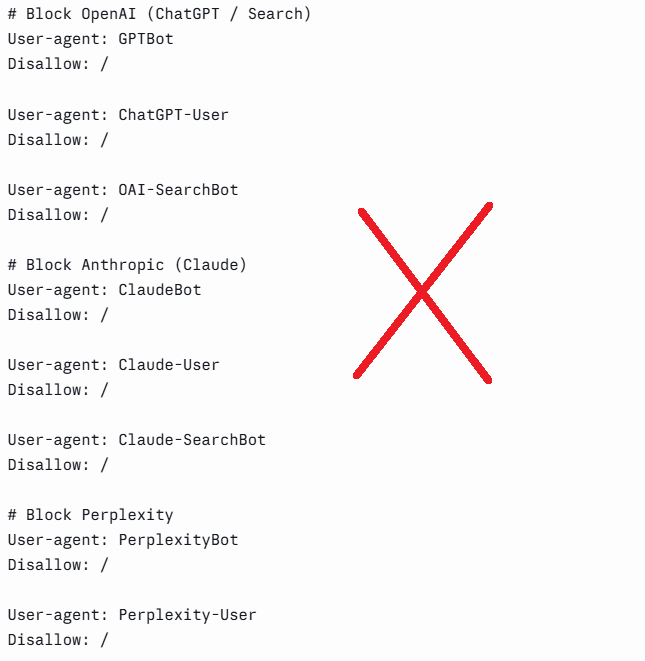
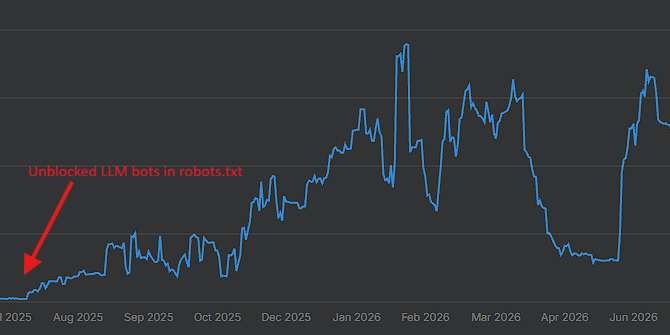
You might not be cited by LLMs because their bots can’t access your website. There are two places to check for this. The first one is your robots.txt file (located at [yourdomain.com]/robots.txt). Open that and see if any of the LLM bots are disallowed. You would be surprised at how many people have unwittingly blocked LLM bots in their robots.txt file.
The second place you should look is literally any AI visibility tool. Ahrefs, Profound, Peec, Semrush, etc. If you have any kind of visibility in those tools, that means you're good and don’t have a fetching error. But if those tools are saying, “hey, in ChatGPT, Claude, etc. none of your URLs are being pulled”, that is an indicator that their bots can't access your website.
Step 2: Optimize your title tags and meta descriptions
Now that you know the bots can access your site, you have to make them want to access your site. Pretend like the bots put your target prompt into Google and get the 10 blue links (a simplification, I know, but it works). They have to decide which of those 10 pages to actually open and look at. And the way they pick is very similar to the way that we pick as people. They're going to look at your URL, title tag, meta description, and last updated date. Here’s how to optimize each one:
URLs
They should be short, relevant, and to the point. They're not for marketing. They are to say in a relatively short space: this is exactly what this page is about.
Good: /improve-malware-dynamic-analysis/
Bad: /top-5-ways-to-improve-dynamic-analysis-of-malware-in-2026-exclusive-guide/
Title Tags
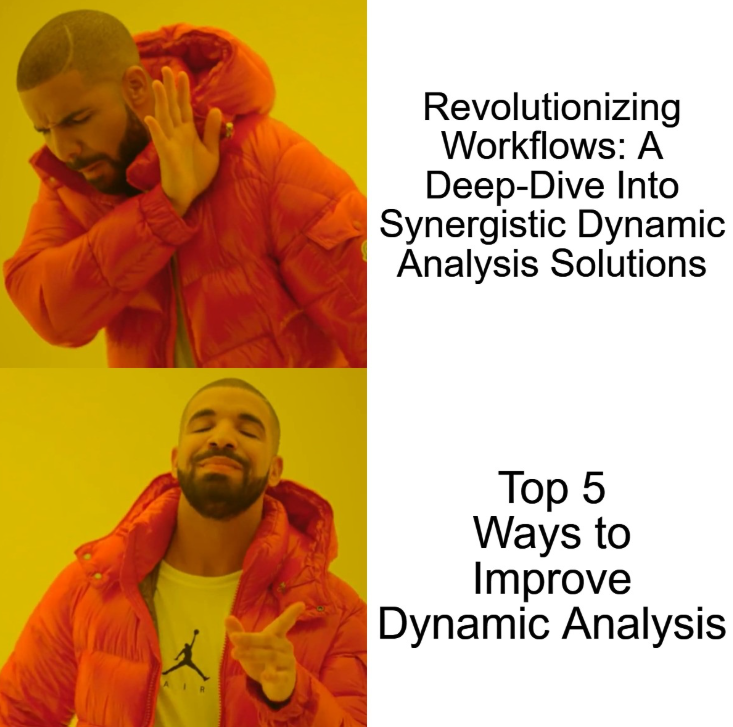
Make sure that they're 60 characters or less because you don't need to break your SEO in order to get better GEO. They should be concise, reflect how people search, and be relevant to what your article or your page is about. Avoid marketing fluff and brand-specific jargon that no one is going to search. If your article is about five ways to improve dynamic analysis, make your title tag, “Top 5 Ways to Improve Dynamic Analysis | [Your Brand Name]”.
Meta Descriptions
Keep these 160 characters or less. Try to describe what your page is about and the benefit that the reader's going to get from reading the page in 1-2 sentences.
Good: Discover the top 5 ways to improve dynamic analysis, uncover hidden indicators of compromise (IOCs), and streamline your SOC.
Bad: Leverage cutting-edge capabilities to supercharge your SOC's efficiency and empower your analysts to proactively neutralize threats at scale.
Updated Date
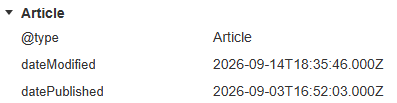
This is really important for informational articles. In addition to the published date, you should have a spot near the top of your informational pages saying when they were last updated. Make sure that your CMS is automatically pulling that updated date into your blog schema. This is something that can be automated, so there's really no excuse not to have it.
Step 3: Optimize the page content
Now that the bot both can and wants to see your site, it opens your page. What does it see? It’s not what our human eyes see. There are 2 things to prioritize here: The bot should be able to read the content, and they should be able to read it quickly.
How to make sure the bot can actually read your page:
- Important text should be in proper HTML markup, not hidden in images
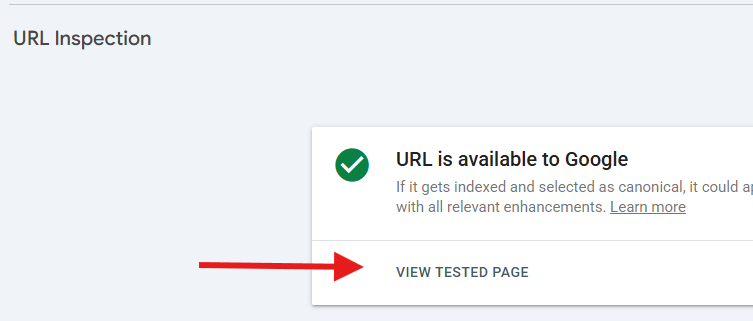
- Use Google’s “Live Test” Tool in Search Console to see how a bot (specifically Googlebot) sees your page. Search phrases from different sections of your page in the tool; if they don’t show up, bots can’t see them.
How to make sure bots can read your page quickly:
- Use Google’s PageSpeed tool to make sure your pages are loading quickly and things aren’t shifting around after loading
- Use schema
- Use correct heading structure. The main idea of the page is an H1 at the top, then sub-points are H2s, etc.
- Don't bury your answer to the main question. Make sure it is super obvious that even somebody (somebot-y?) who is in a mad dash could find it.
If you work through these 3 steps, you’ll position your site as a prime candidate for AI citations: AI can access your site, wants to access your site, and can get the info it needs quickly. If you ever hit a wall where your domain or page isn’t getting cited, work through these steps. You’ll be surprised how often a small adjustment can change the game.